 blixt
blixtFail-closed identity
A malformed or mismatched fingerprint stops the connection before file data moves.
Windows 0.28.1 · Android 0.27.0 Preview
Blixt tries the shortest secure path from your device to theirs. Choose one file or many, share a private code or QR, then follow progress, speed and time remaining while Blixt handles the route.
Free plan · No card required · Windows installer + portable zip · Android 10+ arm64 Preview
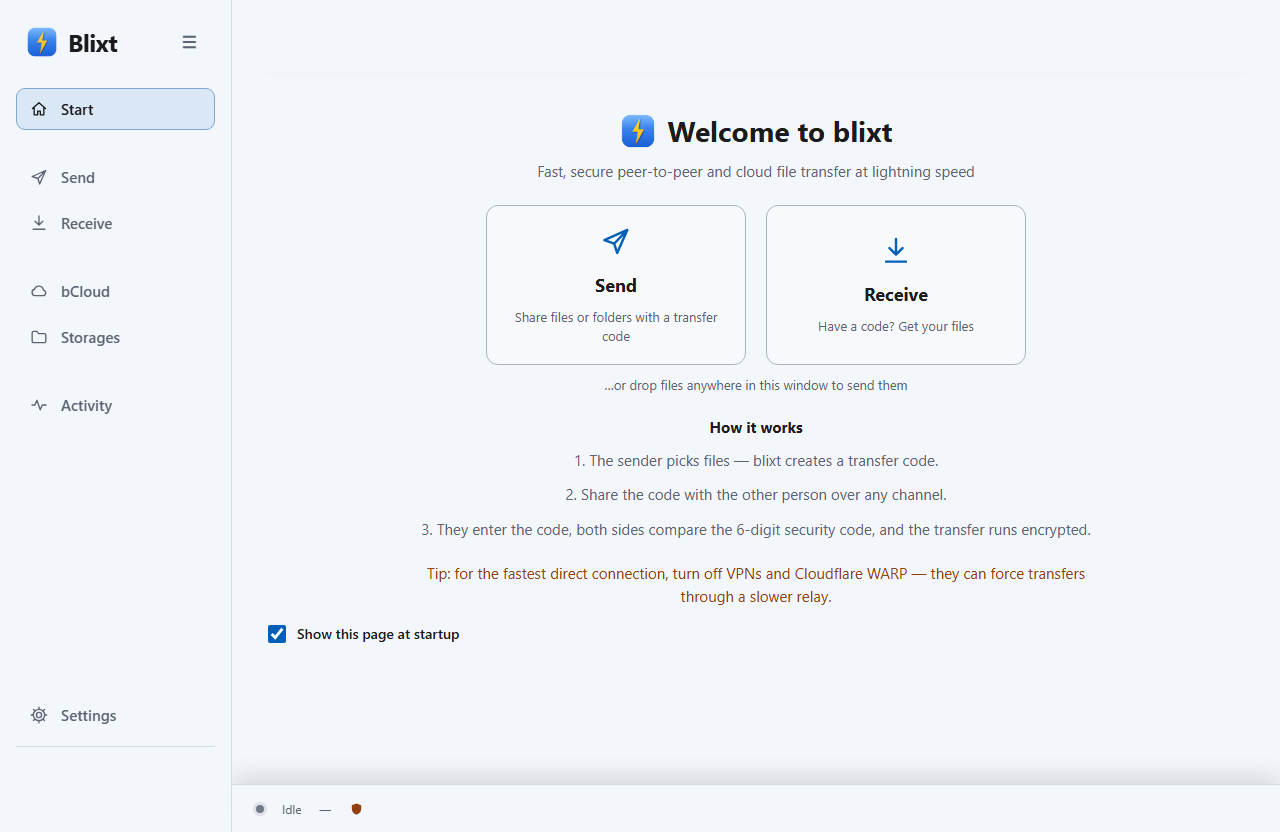
Start in Blixt, Windows Explorer or the Android share sheet. The main flow stays the same on desktop and mobile.
84 MB/s · 03:18 remaining
encrypted · verified blocks
Want more detail? Read the step-by-step tutorial — then the tips for fast transfers.
A live Blixt transfer is one end-to-end session. It tries a direct device-to-device path first; when a network blocks that path, an encrypted relay can carry ciphertext without becoming cloud storage. bCloud remains a separate store-and-share workflow.
This diagram compares workflows, not benchmark timings. See the documented evidence and limitations at /benchmarks.
Desktop Blixt can coordinate multiple interfaces and continue when one path changes. Public raw direct-transfer benchmark data is still being prepared.Treat the current benchmark page as methodology and internal evidence, not an independent certification.
A malformed or mismatched fingerprint stops the connection before file data moves.
Matching digits let both people detect a man in the middle, including a compromised signaling server.
Chunks and the completed file are verified. Resume trusts authenticated state, not a guessed offset.
Relay carries encrypted traffic; bCloud stores files; external Storages keep their own trust boundary.
“A direct transfer stays between the two devices.”When direct is unavailable, the relay carries encrypted traffic; bCloud storage is a separate choice.
No security theatre: Blixt does not claim SOC 2 or ISO 27001 today. The Android app is a Preview, distributed outside Google Play. Read the complete threat model →
Automatic mode tries coordinated routes in order. Most people only need to see that Blixt is connecting; transport controls stay out of the main flow.
Move footage and photo batches without turning every live transfer into a cloud-storage job. Progress, speed and ETA stay visible.
Blixt for video editors →blixt send works in scripts and controlled infrastructure workflows, with verified blocks and resumable active sessions.
Compare the SAS, understand whether the path is direct or relayed, and choose bCloud only when storage is actually required.
Read the security model →The desktop app, local web UI and CLI share the same transfer core. Android Preview adds a native mobile Send and Receive flow.
$ blixt send dataset.tar
ocean-vivid-eager-… (code created)
peer connected · direct/ICE (QUIC)
verify (SAS): 055 437
■■■■■■■■■■■■■■ 100%
✓ complete · BLAKE3 verified

$ blixt recv --code "ocean-vivid-…"Try the full speed on real files.
Big files, no ceiling.
For heavy media & datasets.
No limits, priority support.
Direct transfer traffic is not billed per gigabyte. bCloud storage and plan limits are listed separately. Full pricing →
Available now · Preview
Choose one or several files, use the Android share sheet, share a code or QR, and follow speed, ETA and recovery while the transfer is active.
Android 10+ · arm64 · manual APK install
Preview build: signed, but not yet distributed through Google Play.
For a live device-to-device transfer, yes. A bCloud share link is different: the recipient can download in a normal browser without installing Blixt.
Blixt tries the direct path first. If the network blocks peer-to-peer traffic, it can use an end-to-end encrypted relay fallback. The relay carries ciphertext and does not become cloud storage.
Blixt reconnects during the active session and requests only the verified blocks still missing. Android Preview does not promise to reconstruct a transfer after the app is force-stopped or the phone reboots.
The transfer code is the private invitation. The separate 6-digit SAS lets both people verify that the encrypted session has no one in the middle. Enforced verification can pause until it is confirmed.
The desktop app has an explicit offline LAN mode. Android Preview currently uses automatic online routing and does not yet offer offline LAN transfer.
Not yet. The available APK is a signed Preview, sideloaded outside Google Play, for Android 10+ arm64 devices. Use the Windows release for production work and do not move sensitive files with the current Android build. See Android Preview details →
Installer, portable zip, Explorer integration and user-approved verified updates.
Download 0.28.1